Jellyfin transcoding suddenly went slow (or won't start at all)
You play a movie and Jellyfin pins every CPU core, buffers, and shows "transcoding" instead of "direct play" — or the container won't come up at all. In almost every case the culprit is the /dev/dri hardware device: it dropped out after a restart, it was never mapped for your GPU brand, or it was hardcoded on a box that doesn't have it.
Rather not hand-edit compose files? SparkBox layers the hardware-acceleration overlay automatically — only on hosts that actually have the device — so Jellyfin starts either way. See the walkthrough →
The 10-second version: Hardware transcoding rides on a device called /dev/dri passed into the container. If a dashboard restart dropped it, re-apply the hardware overlay from the host with sparkbox up media. If Jellyfin won't start on a GPU-less machine, that device must be in an optional overlay, never hardcoded into the base config.
First, what "transcoding" actually means
Transcoding is the server converting a video file into a format your device can play — different codec, resolution, or bitrate. Software transcoding does this on the CPU and is slow and power-hungry. Hardware transcoding (also called hardware acceleration) offloads the work to a dedicated video chip, which is far faster and cooler.
On Linux, that chip is exposed as a device node at /dev/dri ("Direct Rendering Infrastructure"). For a container to use it, the device has to be passed through — mapped into the container. VAAPI is the API Jellyfin uses to talk to Intel and AMD graphics through that device. If /dev/dri isn't inside the container, Jellyfin has no hardware to use and silently falls back to software.
Cause 1 — Hardware transcoding drops after a dashboard restart (open)
This is the most common report. Everything works, you tap the "restart" button for the media module in the dashboard UI, and afterwards playback that used to direct-play or hardware-transcode is suddenly software-transcoding and choking the CPU.
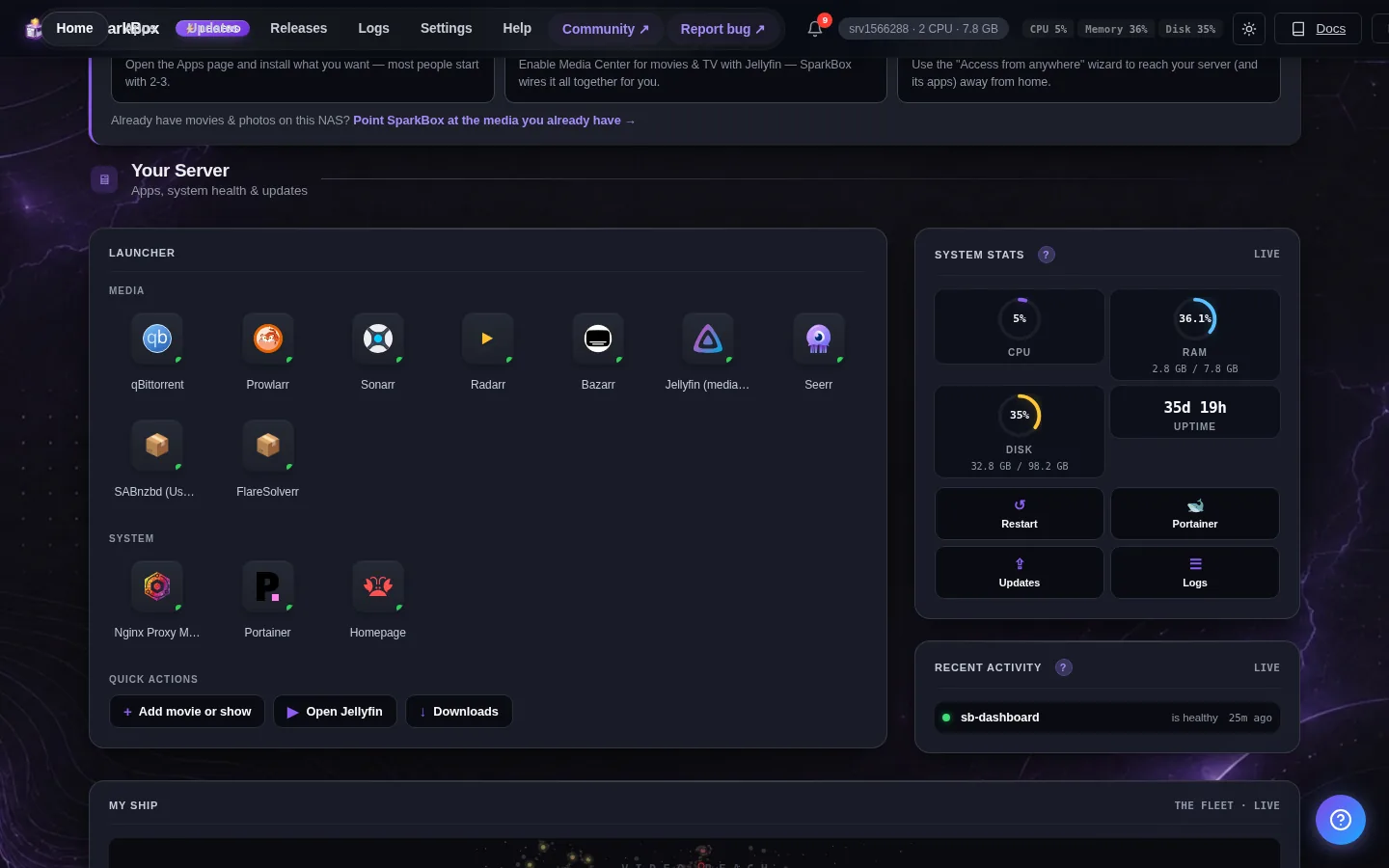
The reason: the dashboard restart brings the container back up without re-applying the hardware overlay, so the /dev/dri passthrough is lost. Jellyfin keeps running, but with no access to the GPU. This is a known open issue (reported by a backer on a UGREEN NAS) — we recognize it, and the reliable workaround is to restart from the host instead.
Fix
- Open a terminal on the host machine (not the dashboard).
- Re-apply the media stack with the hardware overlay:
This brings the module back up and re-layers the hardware config, restoringsparkbox up media/dev/dri. - In Jellyfin, start a title that would need transcoding and confirm the dashboard shows hardware transcoding rather than software.
Gotcha: Until this is fixed, treat the dashboard restart button as a "soft" restart only. If hardware transcoding matters to you, do restarts of the media module from the host with sparkbox up media so the overlay is always reapplied.
Cause 2 — Your GPU is Nvidia, and it's not being used (open)
If you have an Nvidia card and hardware transcoding never kicks in no matter what, this is why. The hardware overlay (modules/media/docker-compose.hw.yml, loaded when JELLYFIN_HW_ACCEL is set and /dev/dri exists) maps only /dev/dri plus the video and render group IDs. That path is Intel Quick Sync and AMD/Intel VAAPI. Nvidia devices are present on your box but simply aren't wired into the overlay, so they're never handed to Jellyfin.
This is an open limitation (reported by a backer with an Nvidia card), not a misconfiguration on your end. There is no shipped Nvidia path here yet, so we won't pretend there's a toggle.
What you can do today
- Rely on direct play where possible. Match your client and files so Jellyfin serves the original stream without converting it — no transcoding, no GPU needed.
- Reduce transcode demand. Keep libraries in codecs and containers your main devices play natively, so software transcoding is rare rather than constant.
- If Intel/AMD hardware is available elsewhere in your setup, that path works today; Nvidia does not.
Cause 3 — Jellyfin (or Plex/Emby) won't start on a box with no Intel/AMD GPU
Symptom: the container refuses to create, often with a Docker error about /dev/dri not existing, and the app never comes online — a classic "won't start" / "connection refused" situation on a VPS with no integrated graphics.
The root cause is how the device is declared. A compose devices: mapping is a hard requirement — if the device doesn't exist, Docker fails container creation outright. It does not silently ignore it. Plex and Emby previously put - /dev/dri:/dev/dri directly and unconditionally in their devices: block, so any host without an Intel/AMD chip hard-failed on start.
Jellyfin already does this correctly: it gates /dev/dri behind the optional docker-compose.hw.yml overlay, applied only when JELLYFIN_HW_ACCEL is set and the device exists. So on a GPU-less host Jellyfin just starts.
Fix
- If you're on Jellyfin and it won't start, the hardcoded-device problem shouldn't apply — check Cause 4 or 5 below, or your reverse proxy for a "refused" error.
- If you're editing compose yourself, move
/dev/driout of the basedocker-compose.ymland into a separatedocker-compose.hw.ymloverlay, mirroring Jellyfin. Apply that overlay only on hosts that have the device. GPU hosts still get hardware transcoding; GPU-less hosts start clean. - On SparkBox this is already handled: the base compose for each media module no longer hardcodes the device, and the hardware overlay is layered only when the device is present. Verified live on a GPU-less VPS that previously failed to start.
Cause 4 — Jellyfin asked you to set up again, or your admin password stopped working
If Jellyfin suddenly acts like a fresh install — no libraries, admin locked out, password rejected — this was a separate bug in the restart path, now fixed. A non-root sparkbox restart could misread permission-protected database directories as empty (because the running user couldn't read them) and fire a false restore from backup, clobbering your live state.
Fix
- Update to a build where this is patched — the restore path is now root-gated with an unreadable-directory guard, so a directory it can't read is no longer treated as empty and won't trigger a restore.
- If you were hit before updating, restore your genuine backup (or reconfigure the admin account) once, then update so it can't recur.
Why this looks like a "password" problem: the false restore replaces the account database, so your old admin login and password no longer match anything. It isn't a password bug per se — it's the restore that reset the state.
Cause 5 — Dashboard crashloops and takes Jellyfin's management with it
If the dashboard kept restarting (crashlooping) around a migration or export, this was an out-of-memory (OOM) kill: the migration export walked Jellyfin's image cache — potentially gigabytes of thumbnails — and blew past the dashboard's 128 MB memory limit.
Fix
- Update to a build with the patched export. The export is now capped at 10 MB per file with real binary detection, metadata and transcode directories are skipped, and the dashboard memory limit was raised to 256 MB.
- After updating, retry the migration/export; it should no longer walk the cache or OOM.
Frequently asked
Why did Jellyfin start transcoding slowly after I restarted it?
The dashboard restart button brings the container back without re-applying the hardware overlay, dropping the /dev/dri passthrough. Jellyfin then software-transcodes on the CPU. Re-run sparkbox up media from the host to restore hardware acceleration. This is a known open issue.
Does Jellyfin hardware transcoding work with an Nvidia GPU?
Not here yet. The hardware overlay maps only /dev/dri, which is Intel Quick Sync and AMD/Intel VAAPI. Nvidia devices aren't wired into the overlay, so an Nvidia card won't be used for transcoding. Favor direct play in the meantime.
Why does Jellyfin fail to start on a VPS with no GPU?
A hardcoded /dev/dri in the container's devices: block makes Docker refuse to create the container when the device is absent. Jellyfin gates it behind an optional overlay, so it should start; Plex and Emby used to hardcode it and hard-failed until the device was moved to an overlay.
Why did Jellyfin lose my admin login or ask me to set up again?
A non-root restart could misread permission-protected database directories as empty and trigger a false restore from backup, wiping account state. That path is now root-gated with an unreadable-directory guard so it no longer fires by accident. Update and restore your real backup once if you were affected.
Skip the compose-overlay fiddling
SparkBox layers the Jellyfin hardware overlay only when the device is actually present, so your server starts on any box and uses the GPU where it can.